
Lesson 01.4
Finger Numbers & Hand Position
Learn the five finger numbers and how to place your hands comfortably at the piano.
◉ Beginner friendly
▥ Finger numbers
◎ Hand position
Lesson Progress
Your Fingers Have Numbers
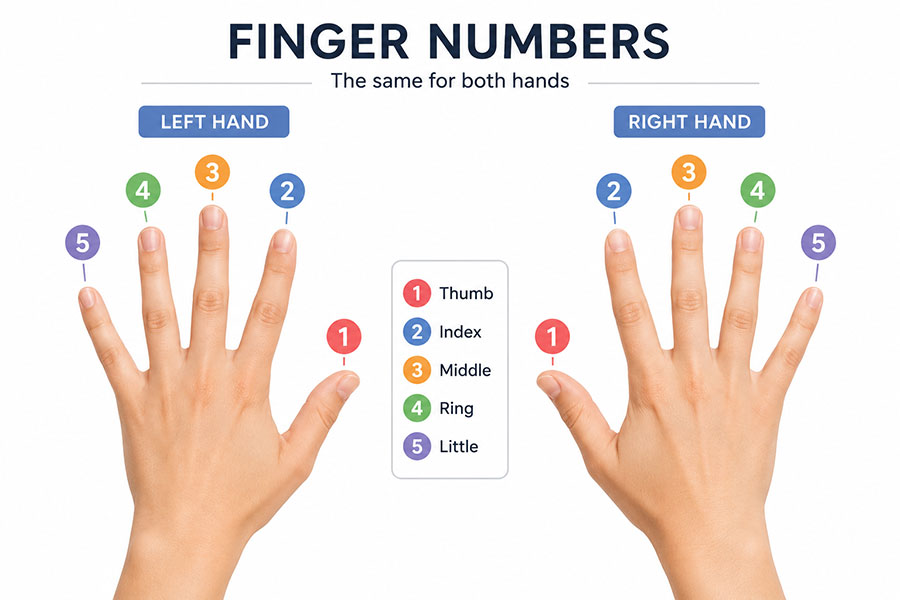
Pianists use numbers to show which finger should play a note. The numbering is the same for both hands:
1 = Thumb
2 = Index finger
3 = Middle finger
4 = Ring finger
5 = Little finger
The important thing to notice is that the thumb is always finger 1 and the little finger is always finger 5, whether you are using your right or left hand.
Try It: Identify the Finger Number
QUICK PRACTICE
Which Finger Is It?
Choose the correct finger.
Left Hand and Right Hand
This distinction is worth explaining because finger numbers can initially feel reversed when learners look at their hands.
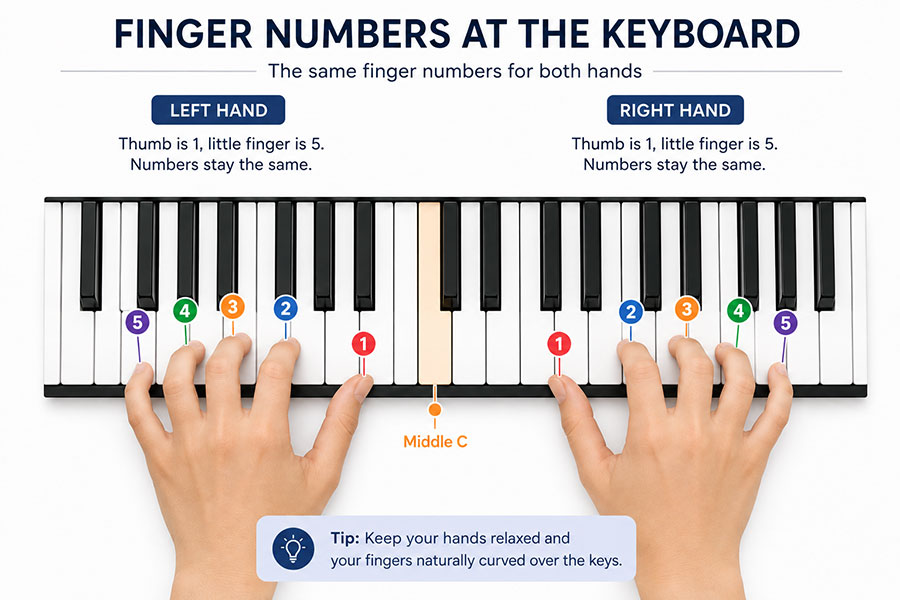
For the right hand, moving from thumb to little finger gives:
1 → 2 → 3 → 4 → 5
For the left hand, the thumb is still 1 and the little finger is still 5, even though they appear in the opposite direction when your hands are on the keyboard.
A Comfortable Hand Position
Sit comfortably and let your arms and hands feel relaxed. Place your fingers gently on the keys with a natural curve. Avoid flattening your fingers or holding your wrists very high or very low.
Imagine that your hand is resting naturally around a small ball. Your fingers should feel curved, but not tense.
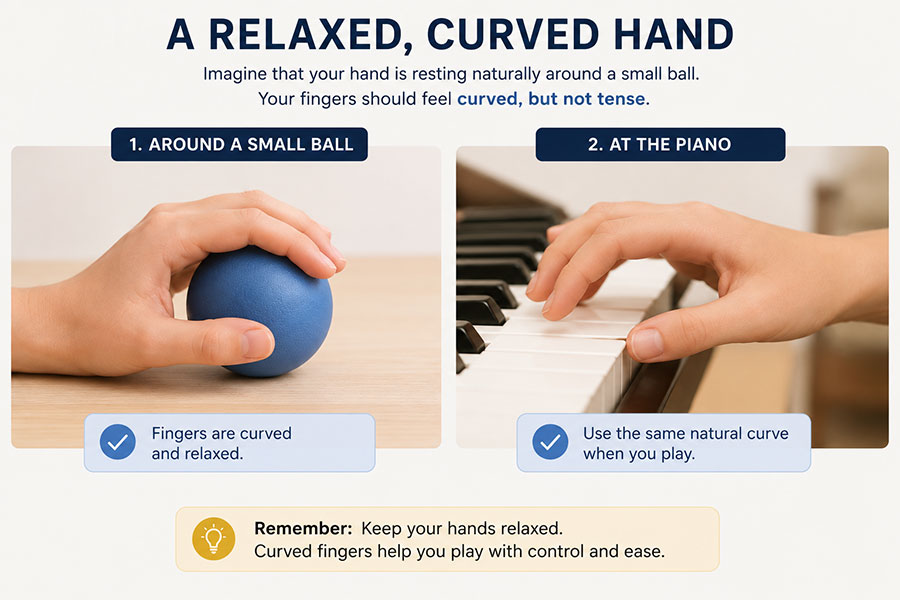

Remember: Thumb = 1 and little finger = 5 on both hands.
Try It on the Keyboard
Now we can connect finger numbers with the keyboard without teaching a full five-finger position yet.
For example:
Place your right thumb gently on Middle C. Let fingers 2, 3, 4 and 5 rest naturally on the next four white keys.
Then:
Try the same with your left hand. Place your left thumb on Middle C and notice how the finger numbers now move in the opposite direction across the keyboard.
Finger Number Challenge
FINGER NUMBER CHALLENGE
Which Finger Should You Use?
Look at the hand and finger number, then choose the correct finger.
Which finger is this?
CHALLENGE COMPLETE
Quick Check
QUICK CHECK
What Have You Learned?
Answer these four questions before moving on.